

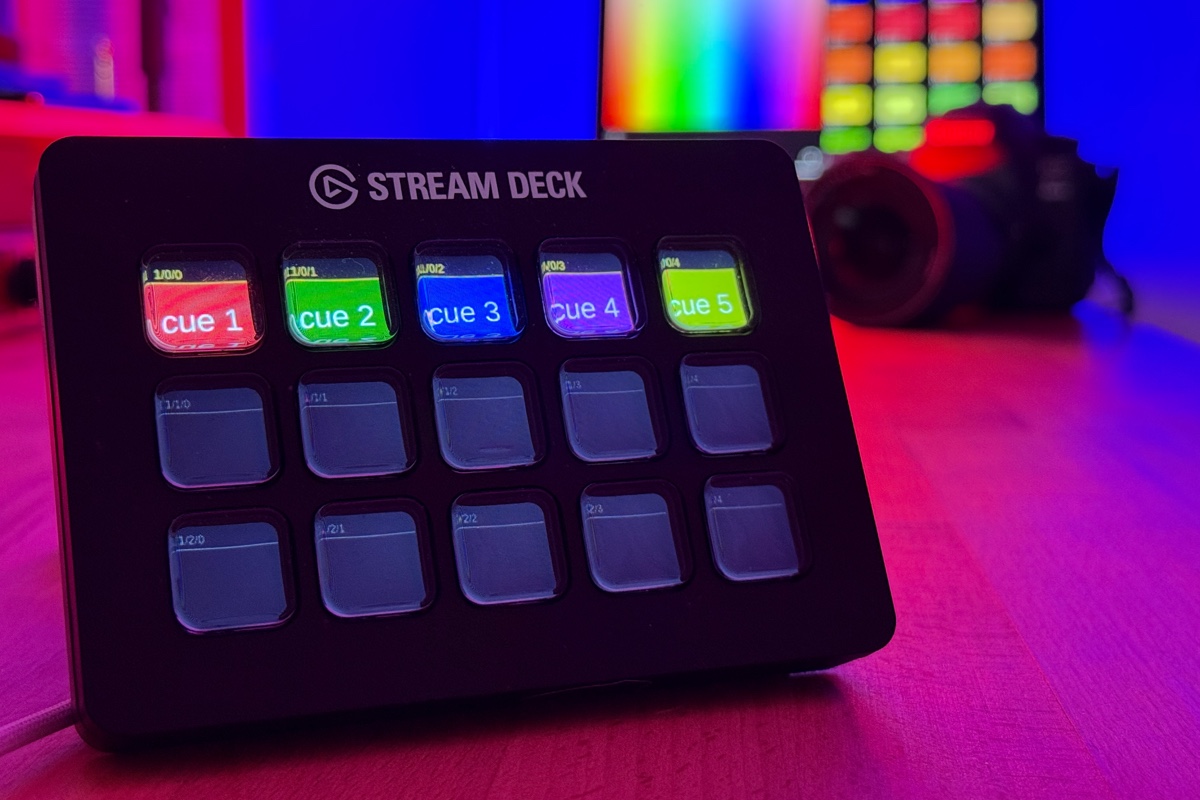
StageLight Now Integrates with Companion – Control Your Stage Like Never Before!
The Perfect Marriage: StageLight Meets Companion
Your lighting show just got a whole lot more powerful! With the new StageLight API, you can now control your fixtures and cue lists directly from Elgato’s Companion and your StreamDeck. No more complicated workarounds – pure control with the press of a button.
What’s New?
The StageLight API gives you UDP-based control over:
- Cue Lists – Activate/deactivate, set levels, advance to the next cue
- Fixture Control – Toggle fixtures, flash them, and adjust intensity
- Tempo Control – Tap-tempo and live BPM adjustments
All through a standardized protocol that works seamlessly with Companion.
How It Works – Step by Step
Step 1: Enable the StageLight API
Open StageLight on your device and navigate to:
Settings > Protocols > StageLight API > Enable
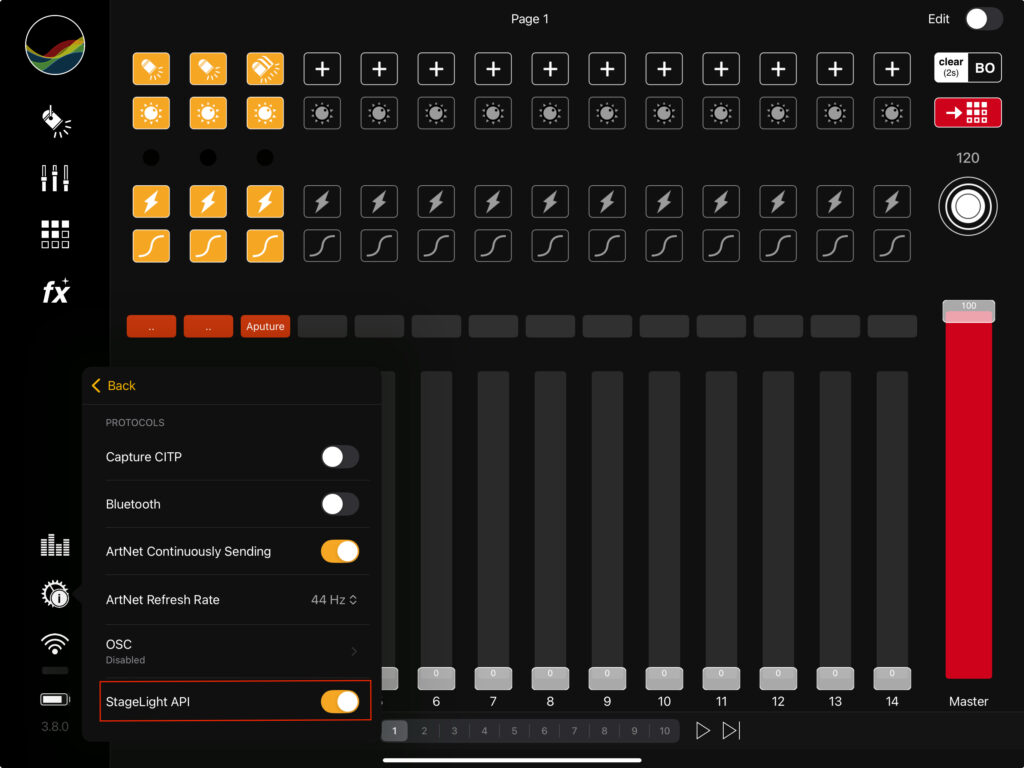
The API will then listen on port 60100 (UDP) and wait for your commands.
Step 2: Connect Companion to StageLight
In Companion, you’ll need to set up a Generic UDP Module:
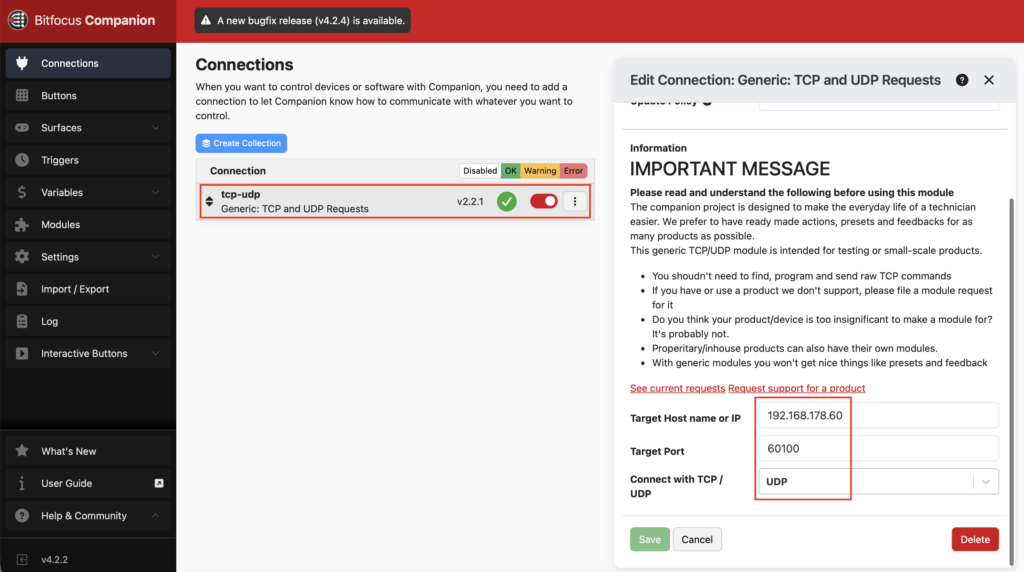
- Open your Companion interface
- Go to Connections > Add Connection
- Select Generic UDP
- Ensure port 60100 is configured
- Enter the IP address of your StageLight device
Step 3: Create Your StreamDeck Buttons
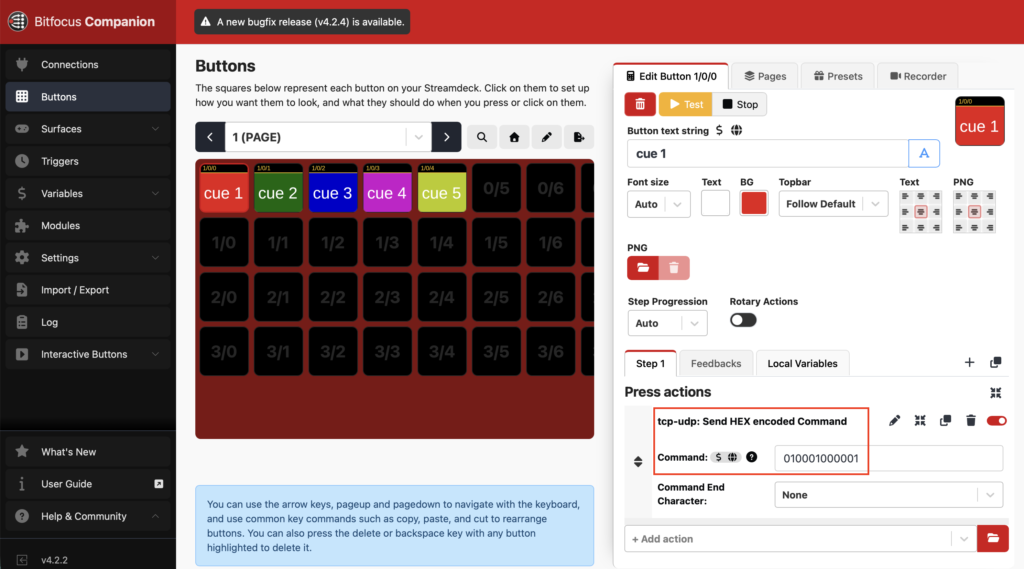
Now you can create custom buttons on your StreamDeck:
- Button Action: Send UDP Command
- Payload: Use the hex payloads from the StageLight API Documentation
- Examples:
- Toggle a cue list:
010001000003 - Set fixture to 75%:
0100020100024B - Tap tempo:
01000300
Real-World Use Cases
Seamless Scene Transitions
Press a button on your StreamDeck → Next cue loads automatically → Smooth transitions without ever opening the app.
Live Fixture Control
Adjust LED intensity, flash fixtures, or switch them off directly from your StreamDeck – while you’re on stage.
Real-Time Tempo Control
Use the tap-tempo feature to sync your lighting design to the beat in real time.
Complete API Documentation
For all command details, payload structures, and additional configuration options, check out the StageLight API Documentation.
Troubleshooting
API not responding?
- ✓ Make sure the API is enabled in Settings
- ✓ Verify the port number (should be 60100)
- ✓ Check that Companion and StageLight are on the same network
Command not working?
- ✓ Use the correct hex format without spaces or prefixes
- ✓ Double-check the exact payload structure in the API Documentation
Get Started Today!
Your lighting control just leveled up. With StageLight + Companion + StreamDeck, you’ve got a powerhouse setup for live shows, events, and productions.
Have fun with it – and let your stage shine!