

I am excited to share the next major step for StageLight: version 4.0. This update is focused on making stage work faster, clearer, and more flexible — whether you are building your fixture library, organizing complex cue lists, or managing show data in live operation.
1. New Fixture Library
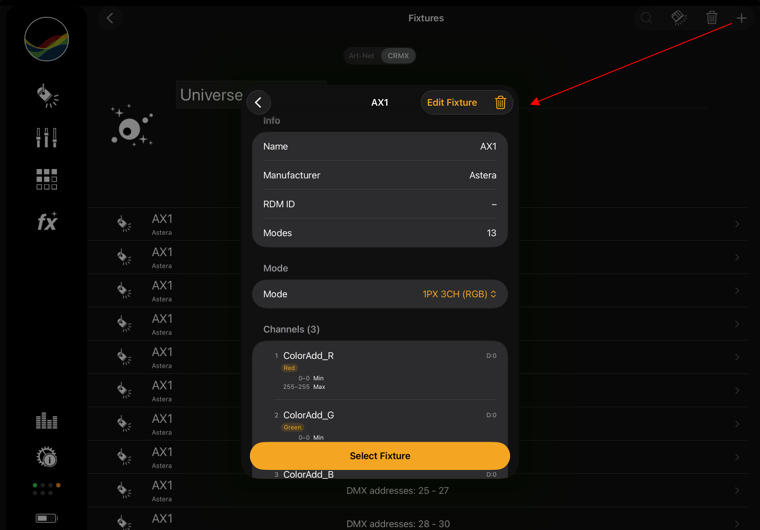
The Fixture Library has been rebuilt from the ground up to give you more control and a smoother workflow. You can now import GDTF files, create your own fixtures with persistent storage, and work with channel values from OFL fixtures, GDTF resources, and custom fixtures. The result is a more flexible and powerful library that supports both modern formats and legacy content.
With direct access to the Open Fixture Library and the StageLight library, you can build your own setup faster and tailor it to your exact needs. You can also duplicate and adjust fixtures in your personal database, making it easier to create custom solutions without starting from scratch.
2. New Cue List Page
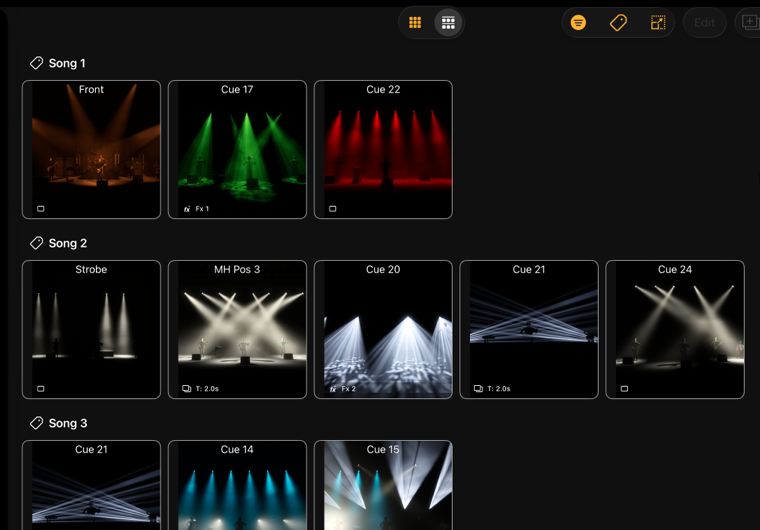
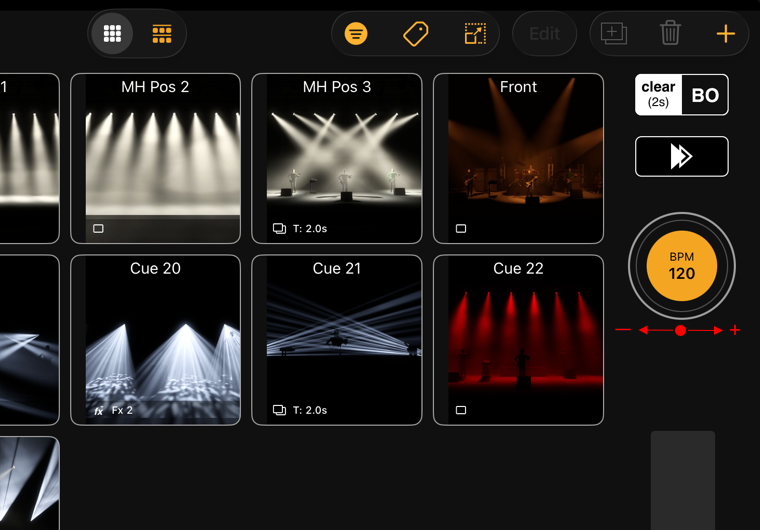
The new Cue List Page makes large projects easier to organize and navigate. You can now adjust sizes and grid layouts to match your MIDI controller, helping you create a more efficient working setup. Tags improve structure and overview, especially in complex shows with many cue lists and multiple scenes.
This gives you better control over your workflow, faster navigation, and a clearer overview of what is happening across the show. It is a major improvement for anyone working with larger projects and more complex cue structures.
3. Export, Print & Project Export
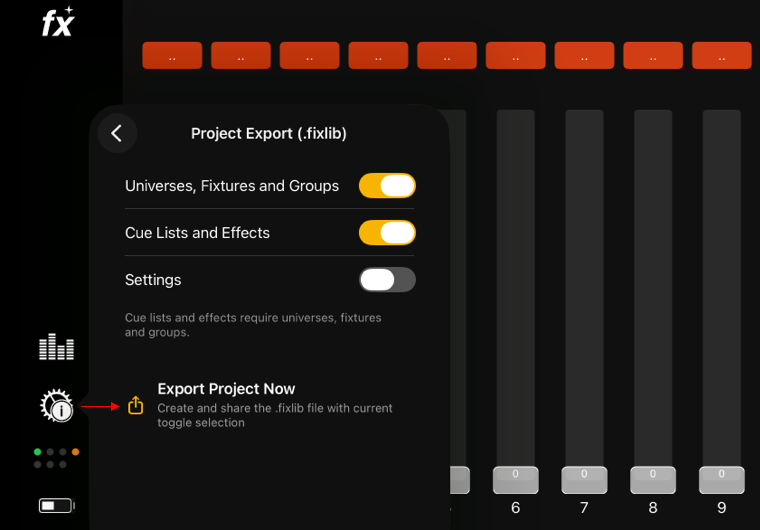
StageLight 4.0 expands the export workflow with more useful formats for documentation and collaboration. You can now create patch sheets as PDFs, fixture labels as PDFs, and fixture lists as CSV files. These tools make it easier to prepare work for rehearsals, show days, and technical discussions.
The project export options are also more flexible. You can choose whether to export only fixtures, cue lists and effects, or include settings as well. This makes the transfer of project data more precise and helps teams work more efficiently across multiple environments.
4. New BPM Control
The new BPM Control makes tempo-based work more precise and easier to control in real time. In addition to tap input, it now supports drag gestures, so you can increase or decrease the BPM with a more intuitive motion.
Dragging left reduces the tempo, while dragging right increases it. This gives you finer control for effects, cues, and timing-heavy performance setups, especially when working with music-driven content and live show changes.
5. Connectivity Panel
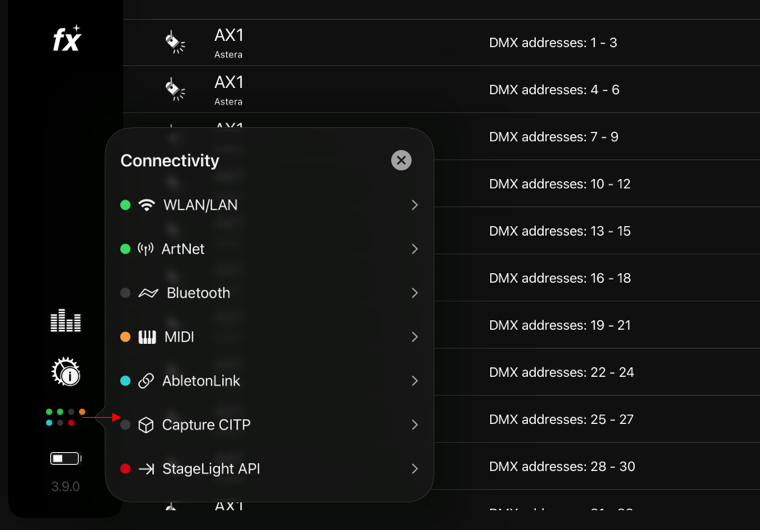
The new Connectivity Panel gives you a fast, clear overview of the most important connections in one place. It shows WiFi, Ethernet, ArtNet, Bluetooth, MIDI, Ableton Link, Capture CITP, and the StageLight API in a single interface.
Color indicators and live activity feedback help you quickly identify what is active and whether something may need attention. A tap opens a detailed view with labels and connection information, making it easier to troubleshoot and monitor your setup during performances.
6. Channel Short Labels
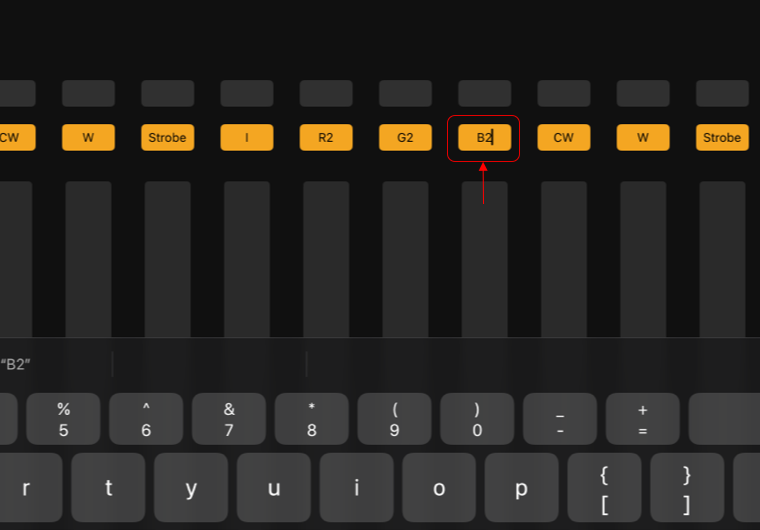
The new Channel Short Labels add a practical layer of clarity to even the most complex patch. Short labels are now easier to customize, which is especially helpful for unknown channel types or repeated channels such as R, G, B, dimmers, strobes, and macros.
This makes channels easier to read, faster to identify, and less error-prone in live operation. It is a small feature with a big impact on usability, especially in large or mixed fixture setups.
Watch the Update in Action
See all the new features in our short walkthrough video: