


Hello everyone,
I’ve always loved the lighting at KEXP’s Live Room. The wall of individually glowing LED bulbs, moving through colors and effects behind the artists, made me wonder: how could I create something like that with StageLight?
That question became the inspiration for several of the new tools in StageLight 4.1. Here’s a closer look at what’s new.
1. Effects for RGB fixtures without a dimmer
Many compact RGB fixtures don’t have a dedicated dimmer channel—their brightness is controlled through the RGB values themselves. StageLight 4.1 now lets you use effects with these fixtures, using a virtual dimmer to adjust the RGB output. That means you can include more of your RGB lights in dimmer effects without needing a physical dimmer channel in the fixture.
2. Create matrix fixtures
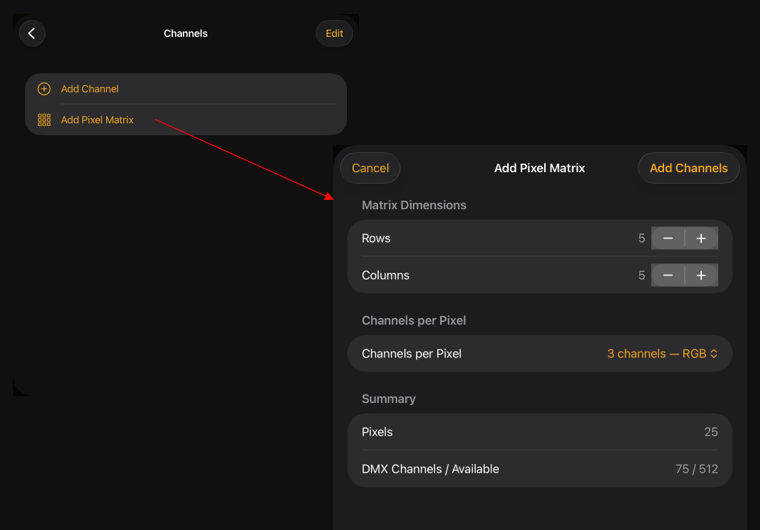
You can now build simple matrix fixtures directly in the Fixture Editor. Choose the number of rows and columns, then select the channel layout for each pixel: Dimmer, RGB, DRGB, or RGBD. Set up a pixel bar or a larger matrix and start working with its individual elements in StageLight.
3. Run effects per segment
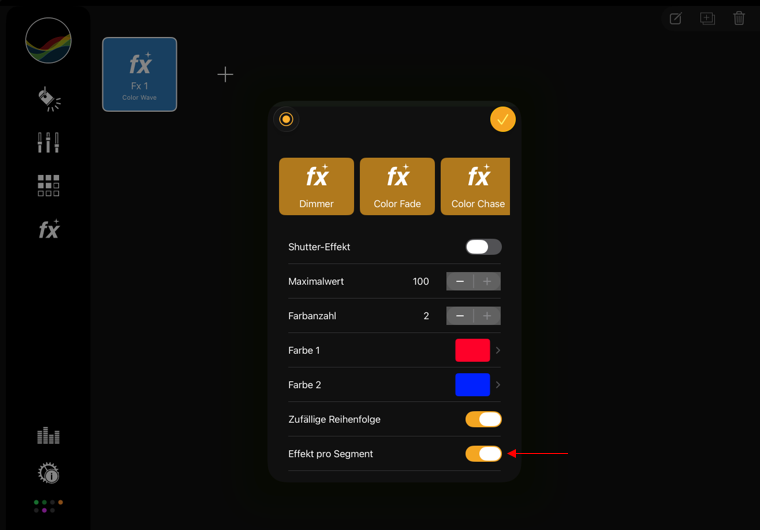
Instead of treating a bar or matrix as one fixture, Effect per Segment lets an effect move across its individual RGB segments. This brings pixel-by-pixel movement to your effects and makes it easier to create flowing looks across LED bars and matrices.
4. Control individual DMX channels in the Mixer
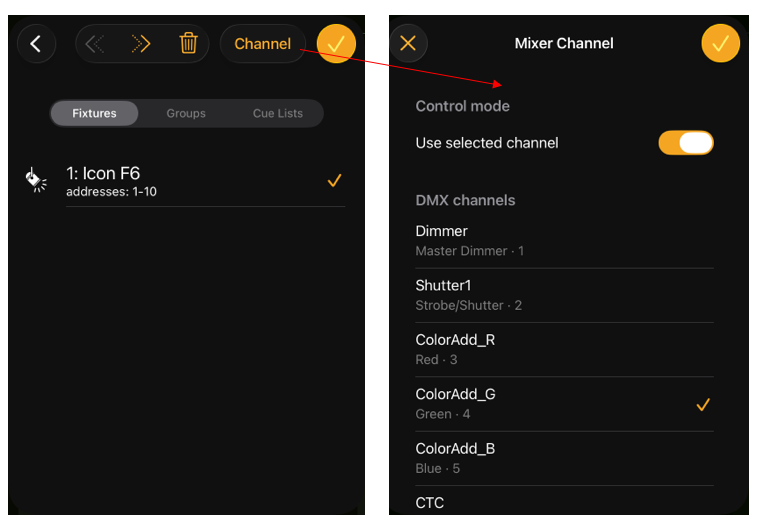
This final feature was one of your most requested improvements. You can now add a specific DMX channel from a fixture or group directly to the Mixer. Put the controls you need—such as strobe, color wheel, or dimmer—right at your fingertips, without having to manage every channel of the fixture.
🎬 Watch the Update in Action
See all the new features in our short walkthrough video: